Python OOP Fundamentals — Building a Login System with Tkinter
An educational deep-dive into Object-Oriented Programming in Python, featuring a practical Sign Up/Login application with GUI built using Tkinter.
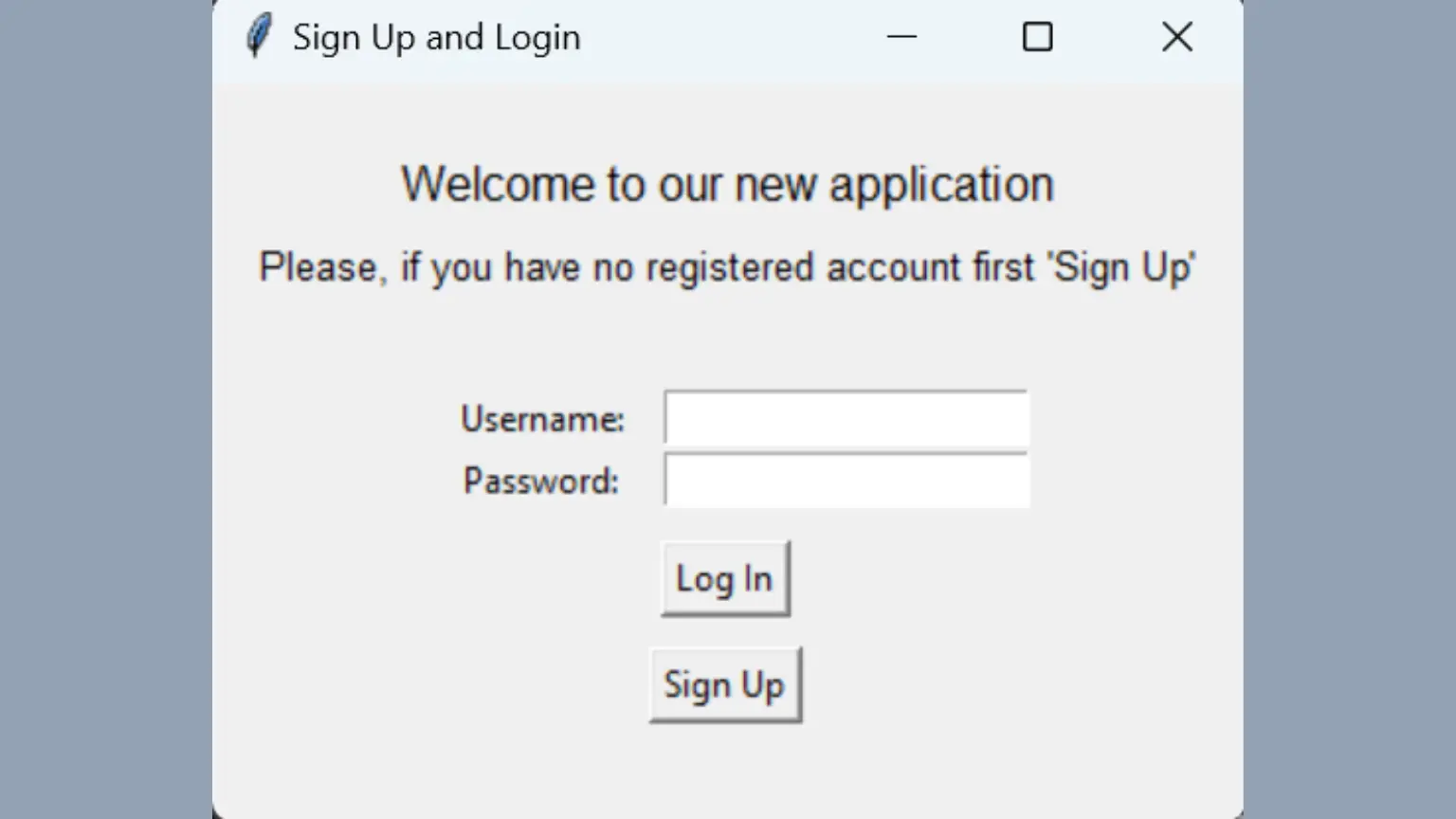
Learning OOP Through a Real Project
Object-Oriented Programming can feel abstract when you're just reading about classes and inheritance. This project takes a different approach — we build something functional while learning the concepts.



What You'll Learn
This project covers more than just OOP. By the end, you'll understand:
| Concept | Application |
|---|---|
| Classes & Objects | User and Users classes with clear responsibilities |
| List Comprehension | Pythonic data filtering and transformation |
| Lambda Functions | Inline functions for event handling |
| Walrus Operator | Python 3.8's assignment expressions |
| File I/O | Reading and writing user data |
| Tkinter GUI | Building desktop interfaces |
Project Structure
The application is intentionally simple — three files that work together:
/Sign_Up_and_Login_form
├── users.txt           # Simple text "database"
├── sign_up_login.py    # User and Users classes
└── GUI_sign_up_login.py # Tkinter interface
Note: Using text files as databases is purely educational. Real applications need proper databases with encryption and validation.
The Core Classes
User Class
Represents a single user with username and password attributes:
class User:
    def __init__(self, username, password):
        self.username = username
        self.password = password
Users Class
Manages the collection of users — loading from file, checking credentials, adding new accounts:
class Users:
    def __init__(self):
        self.users = self.load_users()

    def load_users(self):
        # List comprehension to parse the text file
        with open('users.txt', 'r') as f:
            return [User(*line.strip().split(','))
                    for line in f if line.strip()]
The list comprehension here replaces what would otherwise be a 5-line loop. Clean and readable once you understand the pattern.
The Walrus Operator
Python 3.8 introduced := — the walrus operator. It assigns and returns a value in one expression:
# Without walrus
user = find_user(username)
if user:
    print(f"Found {user.username}")

# With walrus
if (user := find_user(username)):
    print(f"Found {user.username}")
Small improvement, but it reduces repetition in conditional checks.
The GUI
Tkinter comes bundled with Python — no installation needed. The interface provides:
| Screen | Purpose |
|---|---|
| Main Window | Login form with username/password fields |
| Sign Up Window | Create new account form |
| Message Boxes | Success/error feedback |
The GUI connects to our classes through button callbacks:
login_btn = Button(
    root,
    text="Login",
    command=lambda: users.login(
        username_entry.get(),
        password_entry.get()
    )
)
Running the Project
- Clone the repository
- Ensure Python 3.8+ is installed
- Run
python GUI_sign_up_login.py
No dependencies to install — pure Python standard library.
Possible Improvements
The project is intentionally basic. Here's what you could add:
| Feature | Difficulty |
|---|---|
| Empty field validation | Easy |
| Password strength indicator | Medium |
| "Forgot password" flow | Medium |
| Login attempt limits | Medium |
| Password hashing | Advanced |
| SQLite database | Advanced |
View the Full Code
The complete source code with detailed explanations for each concept is available on GitHub:
The repo includes separate markdown files explaining list comprehension, lambda functions, and the walrus operator in depth.
Why This Project?
When learning programming, tutorials often show isolated concepts. "Here's a class. Here's inheritance." But you don't see how they fit together in real code.
This project connects the dots. It's small enough to understand completely, but complete enough to demonstrate real patterns you'll use in larger applications.
Built as part of my Python learning journey. Feel free to fork, modify, and learn from it.