Free OCR Web App with Python, Flask, and Tesseract
How I Built and Deployed it 🎯
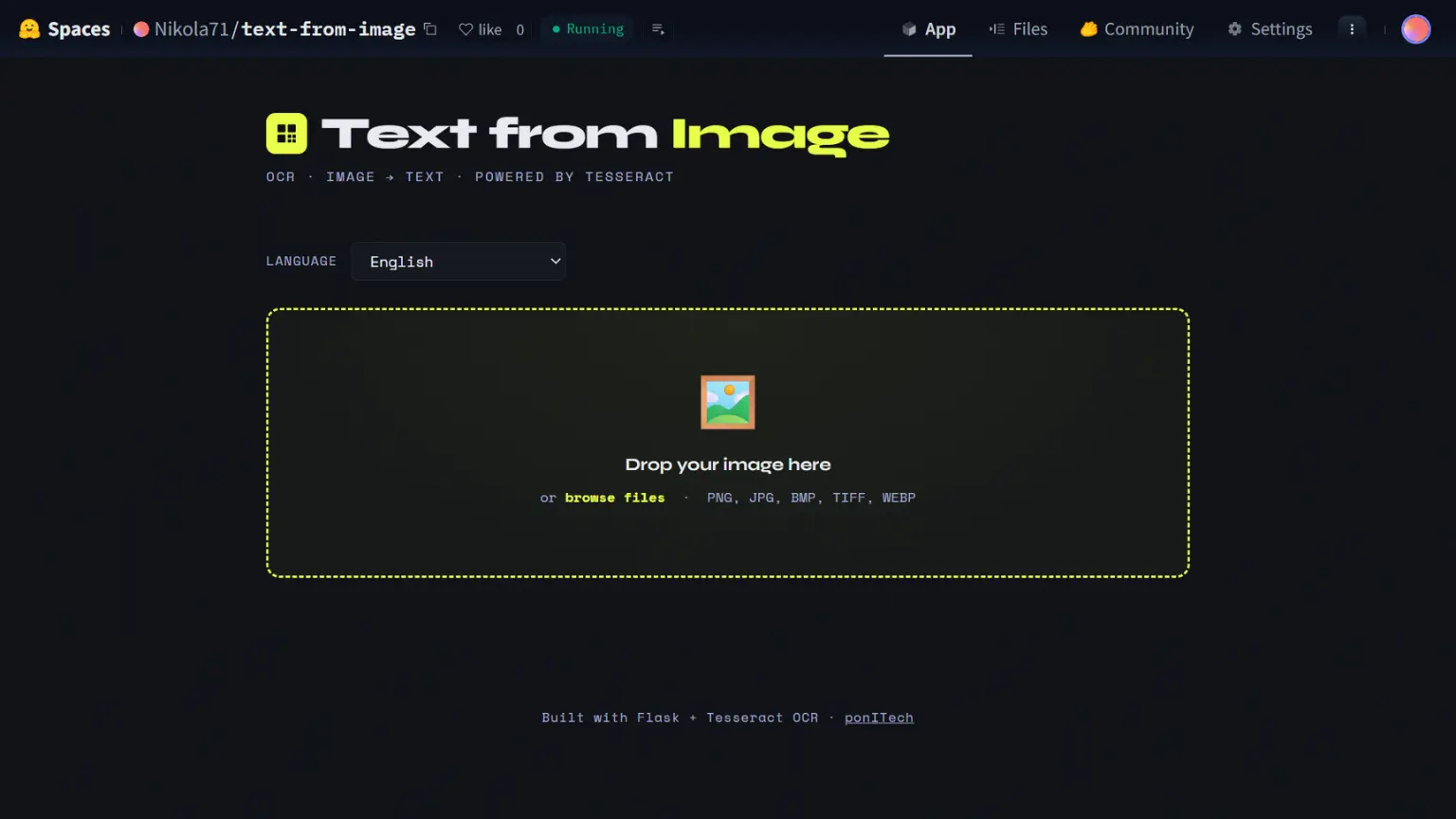
How I Built and Deployed a Free OCR Web App with Python, Flask, and Tesseract
A few days ago I had a simple problem — I needed to extract text from an image quickly, without uploading it to some random online tool. So I built my own. Here's how I went from a 20-line Python script to a live, publicly hosted web app in a couple of days.
The Starting Point — A Simple Python Script
It started with just a few lines using Pillow and pytesseract, a Python wrapper around Google's open-source Tesseract OCR engine:
from PIL import Image
import pytesseract

image = Image.open("screenshot.png")
text = pytesseract.image_to_string(image).strip()
print(text)
It worked, but it was basic — a hardcoded filename, no error handling, and you had to run it from the terminal every time. I wanted something my clients and anyone else could actually use in a browser.
Wrapping It in Flask
The next step was building a proper web interface around it using Flask. The backend is clean and simple — one route serves the UI, another handles the image upload, runs OCR, and returns the extracted text as JSON. Uploaded files are deleted from disk immediately after processing, so nothing is stored.
The app also exposes a /api/extract endpoint, which makes it easy to integrate into other tools:
curl -X POST http://localhost:7860/api/extract \
  -F "file=@invoice.png" \
  -F "lang=eng"
The UI — Drag, Drop, Copy
For the frontend I wanted something clean and functional — no page reloads, no clunky forms. The result is a single-page interface with:
- Drag & drop image upload (or click to browse)
- Image preview with filename and size before submitting
- Language selector — English, Serbian (Latin and Cyrillic), German, French, Spanish, Italian, Croatian
- Character and word count after extraction
- One-click copy of the extracted text
- Remove image and Clear text buttons to reset without refreshing the page
Everything happens on one page with no backend round trips until you actually hit Extract.
Deploying for Free on Hugging Face Spaces
Rather than paying for a VPS, I deployed the app for free on Hugging Face Spaces using Docker. The key parts were writing a Dockerfile that installs Tesseract and all the language packs, and making sure the app runs on port 7860 (Hugging Face's required port).
One small trick — since the same codebase runs locally on Windows and in Docker on Linux, I added auto-detection for the Tesseract binary path:
import platform
if platform.system() == 'Windows':
    pytesseract.pytesseract.tesseract_cmd = r'C:\Program Files\Tesseract-OCR\tesseract.exe'
else:
    pytesseract.pytesseract.tesseract_cmd = '/usr/bin/tesseract'
After pushing to the Hugging Face Space repository, the Docker image built automatically in about 3–4 minutes and the app was live. No server management, no cost.
The Full Stack
| Layer | Technology |
|---|---|
| Backend | Python 3.11, Flask |
| OCR Engine | Tesseract + pytesseract |
| Image processing | Pillow |
| Frontend | Vanilla JS, HTML/CSS |
| Containerization | Docker |
| Hosting | Hugging Face Spaces (free) |
| Source code | GitHub |
Try It and See the Code
- 🔗 Live demo: huggingface.co/spaces/Nikola71/text-from-image
- 💻 Source code: github.com/Nikola71/text-from-image
It handles everything from scanned documents and screenshots to photos of handwritten text. If you try it out or build something on top of the API, I'd love to hear about it.
Built by ponITech · Belgrade, Serbia